
AI in SOC: How Artificial Intelligence Improves Incident Response
Read More


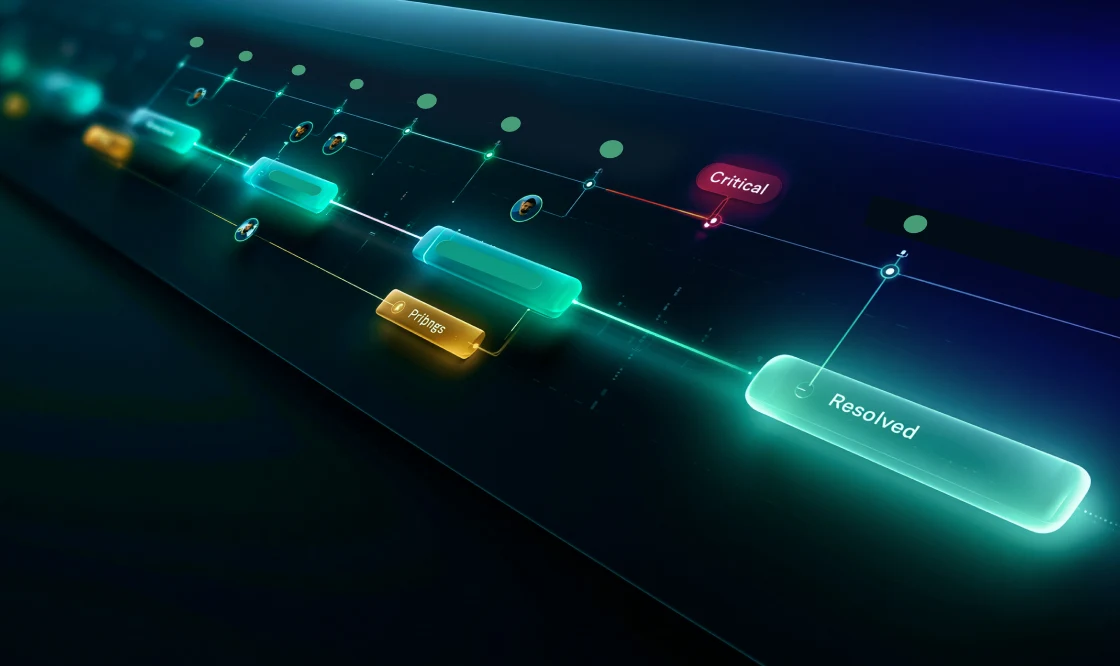
What happens after the first alert lands in the SOC queue? An analyst checks the detection, opens another tool for user context, and reviews endpoint activity somewhere else. Approval may happen in chat, remediation may move into an IT task, and the final record still has to be pulled together for closure. The team may reach the right outcome, but the path becomes harder to trace, triage, and repeat.
Incident response case management gives that work a defined structure. It helps SOC teams manage each event as a connected investigation, with evidence, ownership, decisions, tasks, authorizations, containment actions, and reporting tied to the same operational record. Instead of serving as a place for notes alone, the case becomes the working layer for understanding what happened, choosing the right action, coordinating next steps, and confirming a clear outcome.
CISOs, SOC leaders, security architects, enterprise SOCs, and MSSP operators need a resolution process that keeps findings, judgments, approvals, and remediation visible from initial triage through documented resolution. A well-managed handling offers analysts a cleaner sequence, gives managers visibility into progress and bottlenecks, and provides response owners enough detail to act without chasing updates across different tools and teams.
An alert gives the SOC a starting point, not the full answer. Analysts still have to confirm what happened, connect related activity, understand the business impact, decide the next step, and document the outcome.
That process often spans SIEM, EDR, XDR, identity, cloud, email security, threat intelligence, vulnerability, ITSM, DLP, and insider threat systems. Each tool may hold a different part of the story. One system may show the alert. Another may hold endpoint activity. Others may contain user behavior, access history, mailbox details, cloud permissions, or remediation status.
The challenge grows when decisions happen outside the event record. Analysts may discuss severity in chat, request approval through email, assign remediation in an IT ticket, and close the security record before another team verifies the fix.
When that happens, even simple status questions become harder to answer:
Incident response case management addresses that gap by giving the SOC a single operating structure for post-alert work.
Once the SOC opens a case, the investigation should not drift. Analysts need a clear working record from the first question to the next decision, with enough evidence to support each step. A case should make that process clear instead of becoming another place to update status.
The first step is to decide whether the alert warrants deeper review. Some alerts close after quick validation. Others require immediate handling because they involve privileged users, critical systems, sensitive applications, repeated suspicious activity, or high-risk indicators.
At this stage, the SOC should confirm the affected user, asset, application, or business process. They should also check whether any related alerts or prior cases exist. Early linkage prevents the team from treating connected activity as separate events.
The alert’s severity score often starts the conversation, but priority should come from the full background, including the affected user, asset importance, related activity, threat context, and potential business impact.
For example, an authentication alert tied to a privileged identity deserves faster triage than a higher-scored event on a test asset. The case should capture the priority rationale so managers and other analysts can see why it moved forward.
An alert can point to unusual activity, but the analyst still has to work out what it might mean. A structured investigation turns that early clue into a theory the SOC can test. The theory might involve account compromise, phishing impact, malware activity, exposed cloud resources, risky data movement, insider risk review, or benign behavior.
Analysts then test that theory against the right indicators, from identity activity and endpoint telemetry to cloud events, asset information, vulnerability exposure, and related cases. The aim is to gather enough context to support the next action.
Once the likely risk becomes clear, the next action should follow the evidence. The SOC can close the case, verify with the user, or escalate. If action is needed, the workflow may trigger session revocation, credential reset, endpoint isolation, email purge, an ITSM task, or approval for a disruptive step.
Every action should tie back to the findings. That connection helps prevent overreaction, underreaction, and unclear handoffs.
An issue should close only when the SOC can show what was contained, what was fixed, what risk remains, and who owns any follow-up work.
For example, a credential reset lowers immediate risk, but the team still needs to revoke sessions, evaluate mailbox rules, check endpoint activity, and examine recent privilege changes. A strong case tracks those actions until the team reaches a defensible outcome.
Pro Tip: Use decision points as case milestones. Capture why the SOC investigated, escalated, acted, or closed the case so the final record shows the reasoning behind each step, not just the status.
Agentic AI becomes useful when it helps analysts connect the dots during an analysis. Summaries help, but the real lift comes from comparing activity across tools, finding relationships, suggesting next steps, and keeping the work aligned with approved procedures.
A single investigation can send analysts across identity activity, endpoint behavior, cloud access, mailbox details, asset details, vulnerability exposure, threat intelligence, and earlier related cases. Manual assessment across separate systems slows triage and increases the chance of missed context.
Agentic AI can compare activity across users, devices, applications, sessions, and prior events, then turn those connections into a working investigation path. It helps show what changed, what relates, which checks matter next, and whether the evidence supports escalation or closure, so the analyst starts with a clearer picture.
Each event type sends the analysis in a different direction. A suspicious login leads analysts toward identity activity, active sessions, multi-factor authentication behavior, and device trust. A phishing case shifts the focus to email headers, affected recipients, suspicious URLs, mailbox search, and user confirmation. Endpoint malware brings in process details, file hashes, host isolation status, and signs of lateral movement.
Agentic AI can match the incident type with the right checks, apply SOC policy, factor in the details already available, and show what should happen next. Analysts stay in control, but they start with a review shaped around the case in front of them.
Agentic AI can suggest remediation options based on the evidence and approved workflow. Options mostly include session revocation, credential reset, endpoint isolation, email purge, indicator block, ITSM task creation, user verification, or escalation to risk mitigation leadership.
Human overview remains essential for actions that can disrupt users, systems, or business processes. AI can prepare the recommendation and context, but analysts and approvers decide what moves forward.
When a case moves between analysts, teams, or leaders, the next person should not have to guess what happened. AI can help prepare handoff notes, investigation summaries, timelines, and closure details for analyst review, so the record stays clear as the case moves forward.
That reduces administrative effort while preserving accountability. Analysts still need to validate the record before leaders, customers, or compliance stakeholders can rely on it.

A suspicious login can look routine at first. The alert may show a successful authentication from a new location, but the real question is what happened around it.
An identity tool or SIEM flags a successful login from an unfamiliar location. The user has access to sensitive applications, and the login followed several MFA prompts from a device not seen in recent history.
The incident record captures the trigger, affected user, application accessed, timestamp, source location, device details, initial severity, and owner. From there, the analyst needs to decide whether the activity can close after validation or needs deeper investigation.
The analyst evaluates login history, MFA activity, known devices, active sessions, group membership, privilege level, recent password resets, endpoint posture, cloud activity, and related alerts.
A new location alone does not justify escalation. A new location combined with repeated MFA prompts, an unknown device, sensitive application access, and recent privilege changes gives the SOC a stronger reason to continue.
Agentic AI can compare those details and help shape the next set of checks. In this scenario, that commonly includes MFA fatigue indicators, VPN or travel information, device fingerprints, active sessions, mailbox rules, and recent access changes.
AI can connect the login to the unknown device, repeated authentication prompts, sensitive application access, and recent permission changes, giving the analyst a clearer pattern to validate. The analyst still has to validate the activity log and decide whether the pattern supports escalation.
If the user confirms travel, the device matches corporate records, MFA passed normally, and no unusual activity follows the login, the analyst can close the threat as expected behavior.
If the details point to compromise, the resolution path changes. The SOC may revoke sessions, reset credentials, require MFA re-enrollment, inspect the endpoint, assess mailbox rules, check privileged access, or escalate to incident response leadership.
Actions that could disrupt users or business operations need sign-off. The security record should capture the evidence, recommended action, approver, decision, mitigation steps, outcome, and follow-up work so the team can clearly show how the event moved from alert review to resolution.
Once an alert becomes an investigation, the SOC has to keep the telemetry, judgments, sign-offs, and resolution steps moving together. Swimlane Turbine gives enterprise SOC teams an agentic AI-driven automation and orchestration platform for post-detection handling, remediation coordination, and continuous improvement.
Detection tools provide the findings and telemetry. Swimlane turns that context into a coordinated response process where evidence, actions, authorizations, and documentation stay connected.
A single incident can pull the SOC across identity, endpoint, cloud, ITSM, user verification, approvals, and reporting all at once. Without one place to coordinate that work, analysts lose time moving between systems and tracking down owners.
Swimlane Turbine centralizes those steps in a structured operating model. Analysts get a clearer background, remediation owners get the details needed to act, and leaders gain visibility without waiting for manual updates.
Suspicious login, phishing, malware, cloud exposure, vulnerability escalation, and data movement assessment each require different findings, actions, approvals, and follow-up tasks.
Turbine’s low-code playbooks turn those procedures into active operational sequences. SOC teams can update evidence requirements, escalation logic, review steps, handoffs, and reporting fields as policies or threats change without routing every adjustment through engineering.
Agentic AI in Swimlane Turbine operates within approved SOC guardrails. It analyzes related data, identifies patterns, generates investigation paths, guides analysts through approved steps, recommends containment actions, and prepares summaries for review.
In Swimlane, AI does not operate outside the resolution process. Its recommendations stay tied to the event trail, approved playbooks, telemetry, and sign-off rules, while analysts decide what is accurate, appropriate, and safe to act on.
Swimlane gives each security role the level of visibility they need from the same remediation process. Analysts get a guided analysis sequence. SOC managers track active work, aging cases, escalation quality, approval delays, remediation status, and closure consistency. Security architects reduce brittle handoffs between tools. CISOs gain a clearer view of operational performance. MSSPs and enterprise SOCs manage repeatable, customer-specific action paths across environments.
Pro Tip: Build sign-off rules directly into the case flow for high-impact actions like credential resets, endpoint isolation, and access changes. That keeps remediation moving while preserving control, ownership, and a clear decision record.
Detection starts the threat containment process, but resolution depends on how well the SOC handles everything that follows. When investigation details, authorizations, remediation, and documentation scatter across tools and teams, even a resolved issue can leave unanswered questions.
Incident response case management gives the SOC a clearer operating record. It shows how the team reached a decision, what action followed, what risk remains, and which follow-up work still needs ownership.
Swimlane Turbine brings agentic AI, low-code playbooks, orchestration, integrations, approvals, and reporting into that operating model, so enterprise SOC teams can manage post-alert work with more consistency and control.
Bring investigation, containment, and resolution together with Swimlane Turbine.
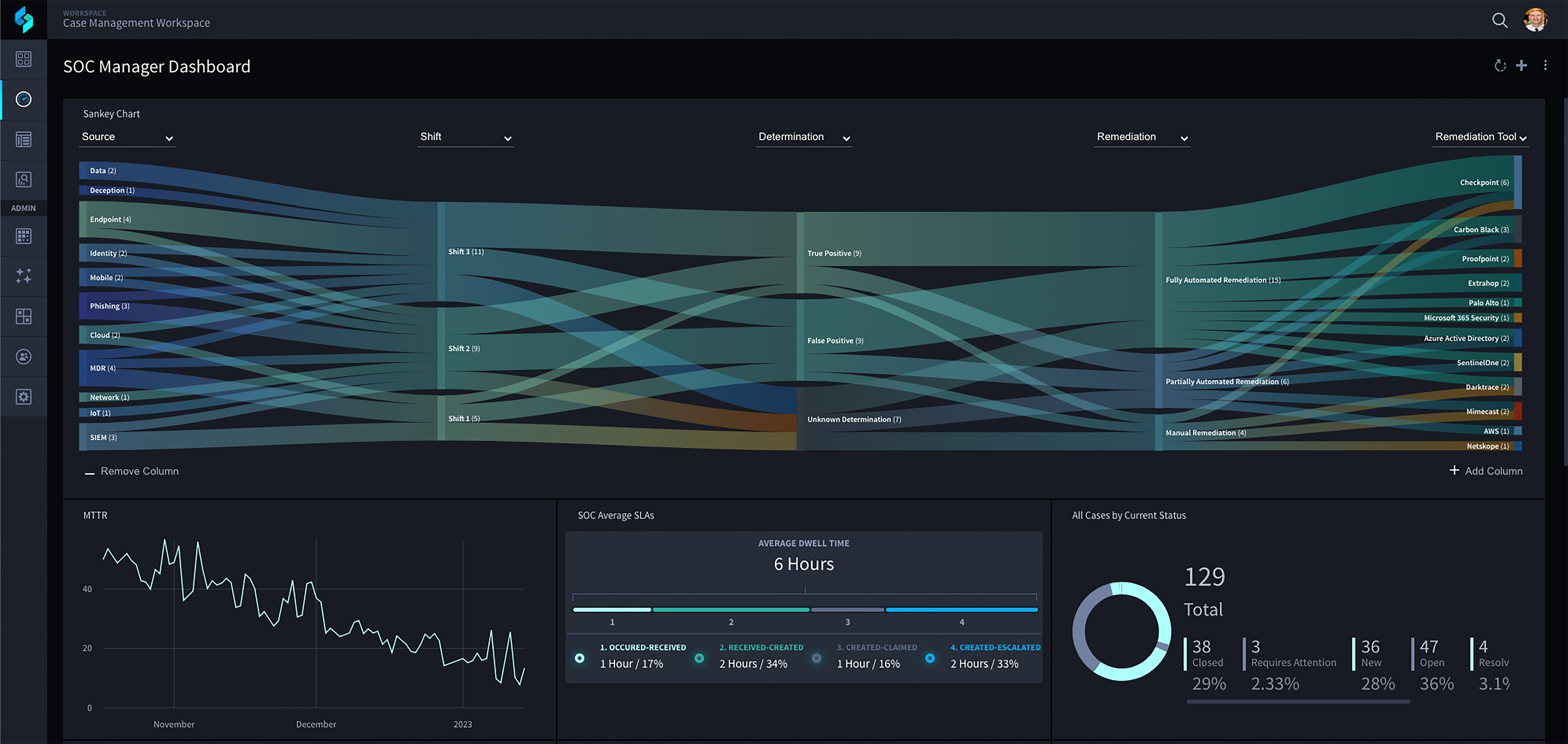
Swimlane Turbine gives enterprise SOC teams an agentic automation platform for the full post-detection workflow. Turbine handles everything from evidence enrichment, analyst guidance, approval routing, remediation coordination, and documented closure using a combination of AI, automations and humans in the loop where judgment matters.
Ticketing usually tracks that work exists, who owns it, and whether it has been closed. Incident response case management goes deeper by capturing the investigation itself, including findings, analyst reasoning, response actions, sign-offs, remediation work, and closure details. It gives the SOC a clearer record of how the incident moved from alert review to resolution.
An incident response case should show where the alert came from, who or what was affected, and why the SOC treated it as a priority. From there, it should capture the findings, related activity, actions taken, required approvals, remediation status, and closure summary.
Agentic AI supports analysts by comparing activity across tools, surfacing related patterns, suggesting the right checks, and recommending next steps based on the available case details. It can also prepare handoff notes, timelines, and closure summaries for analyst validation, while keeping people in control of final decisions.
Low-code playbooks give SOC teams repeatable paths for common cases such as suspicious logins, phishing, malware, cloud exposure, and vulnerability escalation. Teams can update evidence requirements, sign-off steps, routing, and documentation as processes change without waiting on heavy engineering cycles.

 English English
  Français
 Deutsch
 日本語
日本語
 한국어
한국어
 Português
 Español