
How to Reduce Alert Fatigue in Cybersecurity
Read More


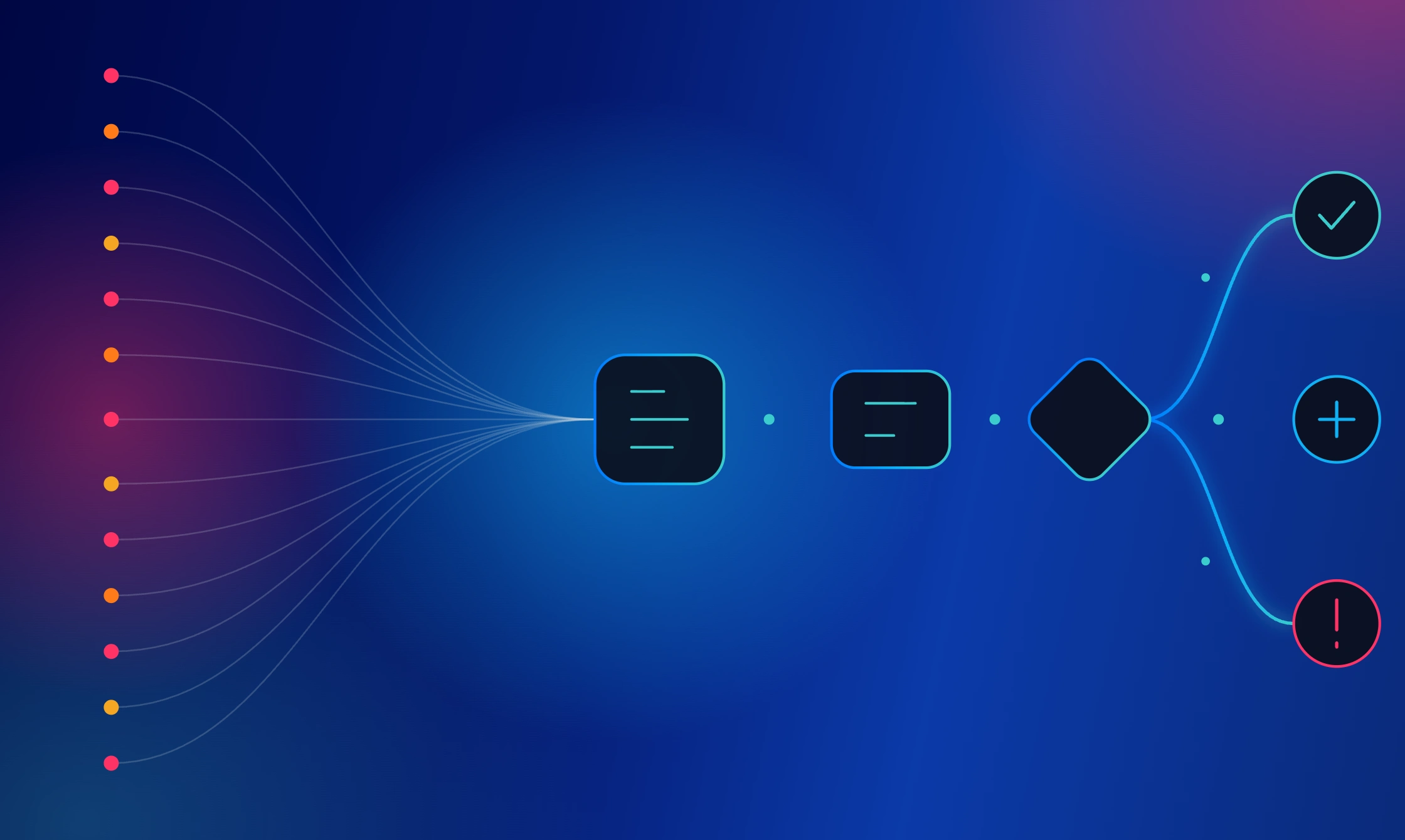
An alert reaches the queue in seconds, but the investigation starts by establishing what happened, who or what the activity affects, and whether the incident requires escalation, and how much risk the event carries. Repeating that assessment across a high-volume queue drains attention and slows work on incidents that require deeper judgment.
Automated SOC workflows reduce that pressure by moving routine, rules-based tasks through a consistent investigation and response path. Analysts receive a prepared view of the incident, while predefined controls keep ownership, authorization, execution, and documentation moving without unnecessary handoffs. When fixed logic reaches an exception, agentic AI keeps the investigation moving within approved boundaries and routes consequential decisions for human review.
Automated security workflows define how an event progresses from intake to closure. They establish the required activities, decision points, owners, system actions, and completion criteria for a specific security process.
SIEM, EDR, XDR, email security, identity, cloud, and DLP products identify suspicious behavior within their specialist domains. An orchestration platform coordinates the work that follows across those systems and the teams responsible for investigation and response.
A dependable workflow should answer five practical questions:
Encoding those decisions in low-code playbooks gives every shift a repeatable operating path. Teams can update the process as policies, tools, and threats change without relying on individual memory or informal handoffs.
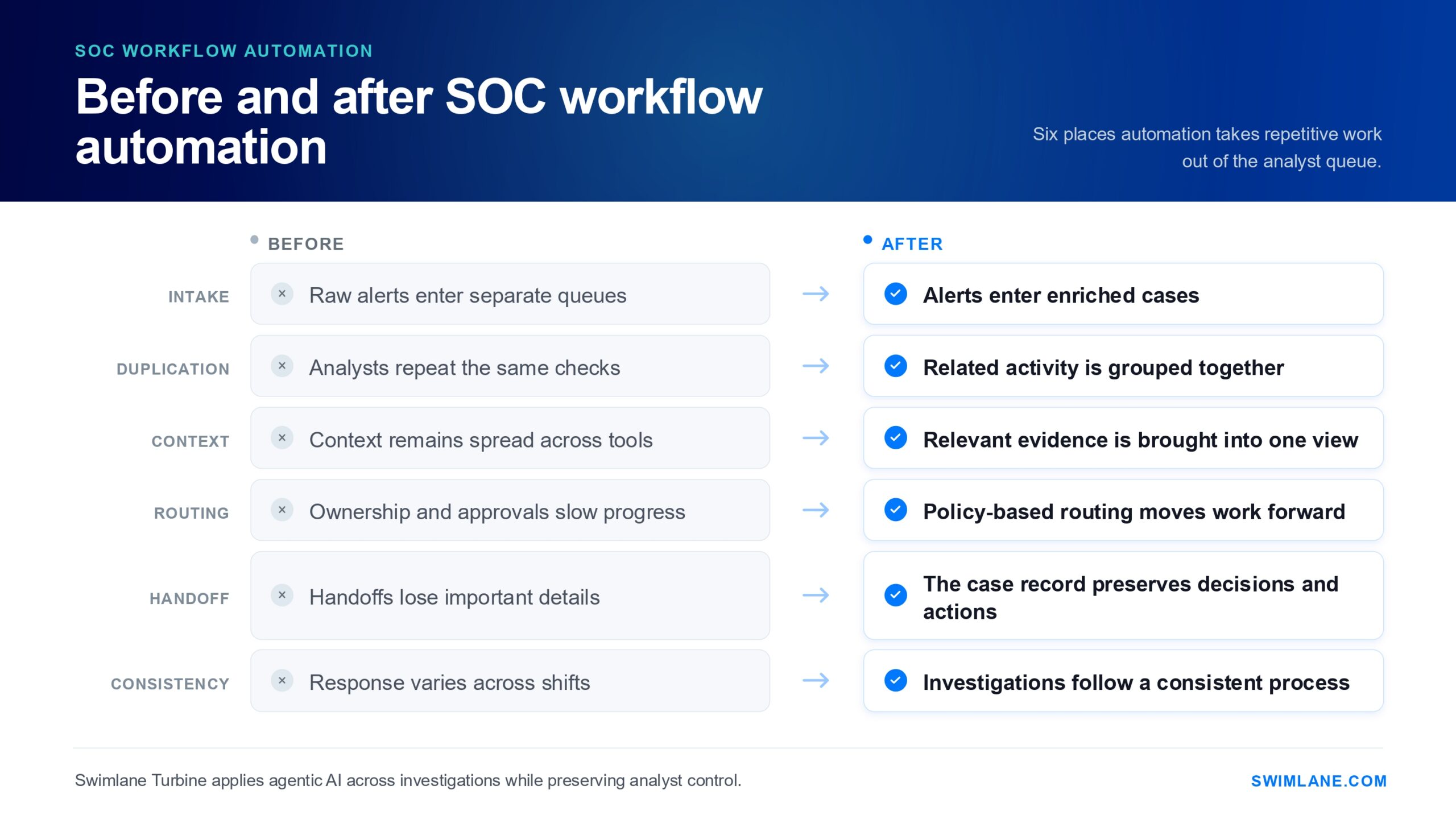
Each alert brings a series of investigative tasks that accumulate across the shift. Analysts copy indicators between tools, check identity and asset records, and search threat intelligence. They also review earlier cases and update several systems before deciding whether an alert warrants further investigation.
Overlapping notifications multiply that work. Different systems often report separate parts of the same activity, while recurring low-risk events generate several tickets for one underlying issue. Analysts repeat the same checks across disconnected records and lose sight of the wider incident.
Inconsistent decision criteria create another source of delay. One shift closes an event that another escalates. Experienced responders know which owner, system, or procedure applies, while others spend time locating that information. Handoffs, approval requests, status updates, and closure notes extend the work after the technical assessment.
The operational impact appears in slower decisions, uneven handling, and a backlog that becomes harder to prioritize and control.
Pro Tip: Measure how many tools, handoffs, and manual updates each alert requires. That view often exposes more operational drag than alert volume alone.
The reduction comes from removing avoidable effort at each stage of the investigation. Automation improves preparation, correlation, routing, and continuity so routine work does not keep returning to the analyst queue.
Pre-enrichment retrieves relevant information before the analyst opens the case. The playbook collects user role, asset criticality, endpoint behavior, sign-in history, and threat intelligence. It also adds recent change tickets, cloud activity, prior cases, and business ownership when relevant.
Faster access to that context helps dismiss routine false positives, recognize higher-risk behavior, and avoid unnecessary console hopping.
Correlation links findings that share an account, host, mailbox, indicator, application, or time window. Deduplication stops every notification from becoming a separate assignment.
The team reviews one connected incident instead of several isolated tickets. That view preserves the investigation history and prevents multiple analysts from repeating the same checks.
Routing logic evaluates severity, confidence, business criticality, privilege, exposure, previous behavior, and the proposed response. Those factors assign ownership and determine whether the workflow proceeds automatically or requires analyst review.
Low-risk events move through approved tasks without unnecessary delay. Higher-impact decisions pause for authorization before the platform revokes access, isolates a device, removes email, or changes a production resource. Defined limits keep response moving while preserving accountability.
Shift changes disrupt progress when notes, decisions, and unfinished work sit in separate systems. A connected case record keeps the timeline, rationale, assigned owner, failed steps, authorizations, and remaining tasks together.
The analyst taking over can see what has already been checked, why the team chose a particular course, and what requires attention next. Better continuity reduces rework and prevents important details from disappearing during handoff.
Summaries explain the work completed so far. Agentic AI addresses the exceptions that prevent an investigation from moving forward.
A source returns incomplete data, two systems present conflicting details, or an automated action fails. In such scenarios, the agent identifies the issue, determines which permitted step remains available, and adjusts the investigation path without forcing the analyst to start again.
Swimlane Turbine gives SOC teams a controlled way to put agentic AI to work inside active investigations. AI agents gather evidence from connected security tools, build and revise investigation plans, carry out permitted tasks, and escalate higher-impact decisions to the appropriate reviewer.
Low-code playbooks define the procedure, permissions, approval points, and exception paths, while case management keeps every finding, decision, and action connected. Dashboards and reporting show where operational sequence slows down, which steps fail repeatedly, and where agentic AI automation will improve performance across teams, regions, or MSSPs.
SOC automation changes with the evidence, decision criteria, and response actions required by each use case. The examples below show how the operating logic adapts across common investigations.
An employee report or email security event begins the sequence. The playbook extracts URLs, domains, attachment details, sender information, message headers, and recipients. It then enriches those indicators and checks for related submissions.
The AI agent assesses conflicting evidence, completes the required validation, and classifies the message as benign, suspicious, or malicious. Approved actions include email removal, account review, employee notification, escalation, and documentation.
An identity event starts the automated workflow. The process checks sign-in history, device posture, location changes, session behavior, user privilege, recent password activity, and related endpoint events. It brings the results into the case record, surfaces unresolved questions, and recommends the next step.
Internal policy determines whether the workflow closes the event, moves it to deeper investigation, or pauses for approval before revoking sessions, forcing a password reset, or beginning broader containment.
An EDR alert initiates file reputation queries, reviews the process tree, gathers host details, maps the affected account, and searches for related indicators. The results show whether the activity was blocked or needs further investigation.
Approved response actions include collecting evidence, isolating the endpoint, notifying the owner, and creating a case. Failed actions move to an exception queue for review.
A cloud security system flags a new role assignment, unusual administrative action, or risky API behavior. The automated workflow gathers account context, resource sensitivity, session details, recent change requests, and related audit logs.
It then guides validation, routes approvals, coordinates access changes, and records the decision history.
DLP, UEBA, identity, and cloud systems flag unusual data movement or employee activity. The automated workflow gathers supporting evidence, coordinates the investigation, routes legal or HR handoffs when policy requires, supports approved response actions, and maintains the case record.
Specialized tools continue to provide detection and compliance controls. Swimlane coordinates the investigation, response, and reporting that follow across teams and connected systems.
Pro Tip: Observe analysts handling several live cases before building the workflow. Their workarounds often reveal missing data, unclear approvals, and exceptions that the written procedure does not capture.
Alert fatigue becomes harder to solve when every improvement depends on analysts doing more. Sustainable progress comes from redesigning how investigations move, where decisions pause, and which tasks no longer require manual coordination.
The next step is to put that operating model into practice with controls the SOC can trust. Swimlane Turbine combines agentic AI, low-code playbooks, case management, dashboards and reporting, and broad integrations across the security stack. Together, these capabilities turn automated SOC workflows into repeatable execution across teams, regions, and use cases at enterprise scale.
See how Swimlane Turbine fits your investigation, response, and case management priorities.
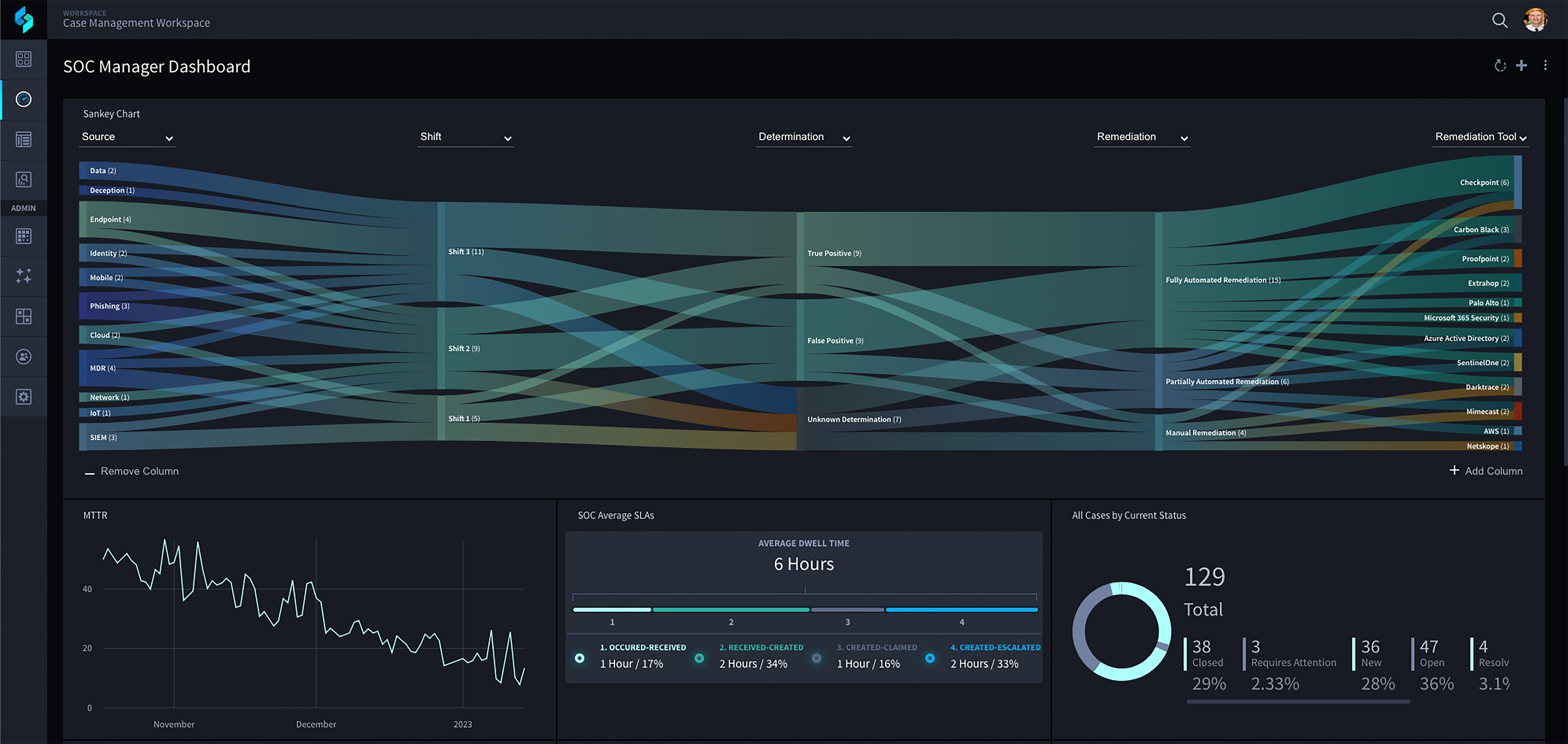
Swimlane Turbine combines agentic AI, low-code playbooks, and case management to move investigations forward automatically, without sacrificing analyst control. See how it fits your team’s alert triage, investigation, and response workflows.
The timeline depends on the number of connected systems, the quality of the existing procedure, and the complexity of the decision logic. Teams move faster when they start with a narrow use case, confirm data and permissions early, and test with analysts before expanding.
Review workflows after tool changes, policy updates, or incidents that expose gaps in the current process. Repeated overrides, failed actions, reopened cases, or unnecessary escalations also signal that the logic needs revision.
The workflow should record the failure, preserve completed work, and route the exception for review. Based on policy, it can retry the step, use an approved alternative, or pause until the system returns.
MSSPs need shared standards with customer-specific controls. Separate credentials, role-based access, tailored approvals, and distinct reporting help preserve tenant boundaries while supporting consistent service delivery.

 English English
  Français
 Deutsch
 日本語
日本語
 한국어
한국어
 Português
 Español