
AI SOC Agents vs. SOAR: What Actually Changed
Read More


Every SOC I talk to has one: the engineer who looks at the latest AI coding assistant and says, “We could just build everything.” I’ll be honest with you. They’re not wrong. You can build everything.
The catch is that when that idea comes up, you’re usually only thinking about the first week of the build. Nobody pitches the second year.
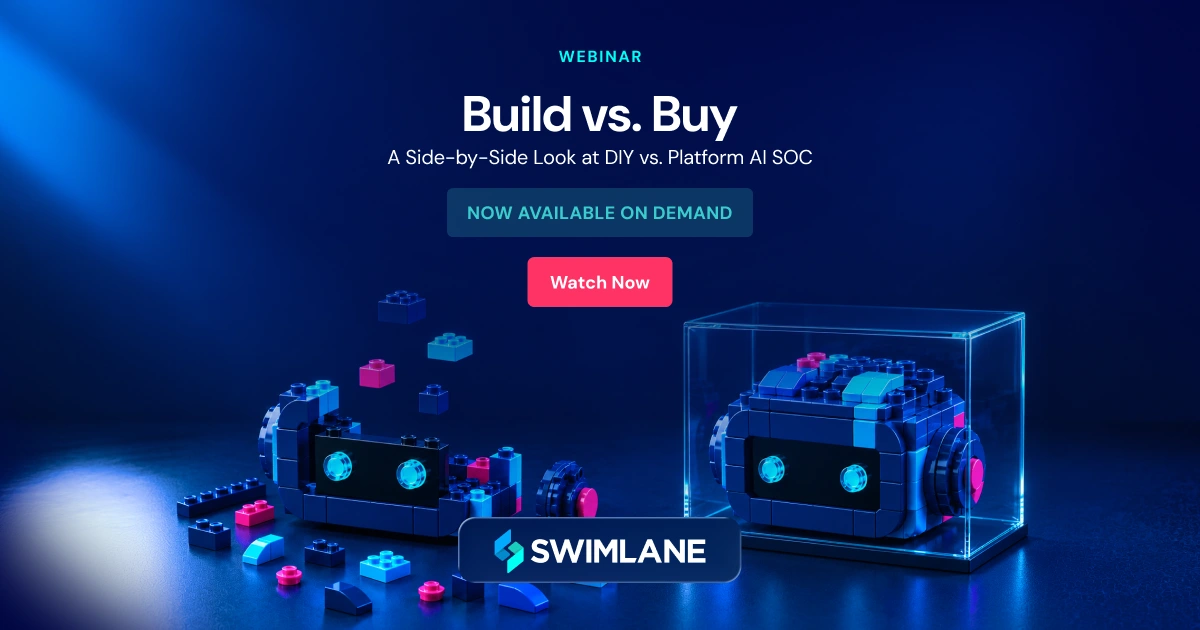
That’s the real tension in the build vs. buy AI SOC decision, and it’s what I walked through in our recent webinar: Build vs. Buy AI SOC: A Side-by-Side Look at DIY vs. Platform. Building has never been easier. Running what you built on every alert, every day, hasn’t gotten any easier at all. So I put both paths side by side, live, and let the gap speak for itself.
With today’s coding assistants and agent frameworks, a sharp engineer can stand up a prototype over a weekend that triages an alert end to end. I’ve seen it, and it’s genuinely impressive. Then Monday morning shows up.
An upstream API changed its schema. A prompt that worked on Friday has drifted. An integration quietly broke when a vendor rotated an endpoint. None of that is a reason not to build, but every one of those problems now has an owner, and that owner is somebody on your team who was hired to do something else.
The same pattern shows up when you ask what can and can’t be copied. Give a capable team a few weeks and they can clone an AI SOC interface. What they can’t clone is SOC 2 Type II, or FedRAMP High certification for an AI SOC platform, or more than a decade of outside auditors and pen testers showing up every year to try to prove you wrong. That’s not a UI. That’s accumulated trust, and it only accrues with time and scrutiny.
If your team has already built something with Claude or Cursor, I want to be clear: that work isn’t wasted. You’ve figured out what you actually want, and your analysts probably like using it. Keep it. What you built is a really good front door.
The question I’d ask is what’s running behind that door when alerts start flowing in, or when something fires at 3:00 a.m. and nobody’s at the keyboard. A prototype helps an analyst when they ask it something. Production handles every alert, all day, whether anyone is watching or not.
The day you point a prototype at a real queue, it stops being a helper and becomes a system. It has to run on its own, automated and around the clock. Error handling, retries, rate limits and state all become your problem. And the API keys that lived on someone’s laptop for the demo look a lot less fine once the tool is isolating hosts and changing firewall rules.
That’s why I don’t think the decision is really build versus buy. It’s prototype versus production, and those are two very different jobs.
When I lay out the options for a SOC team, I group them into three starting points:
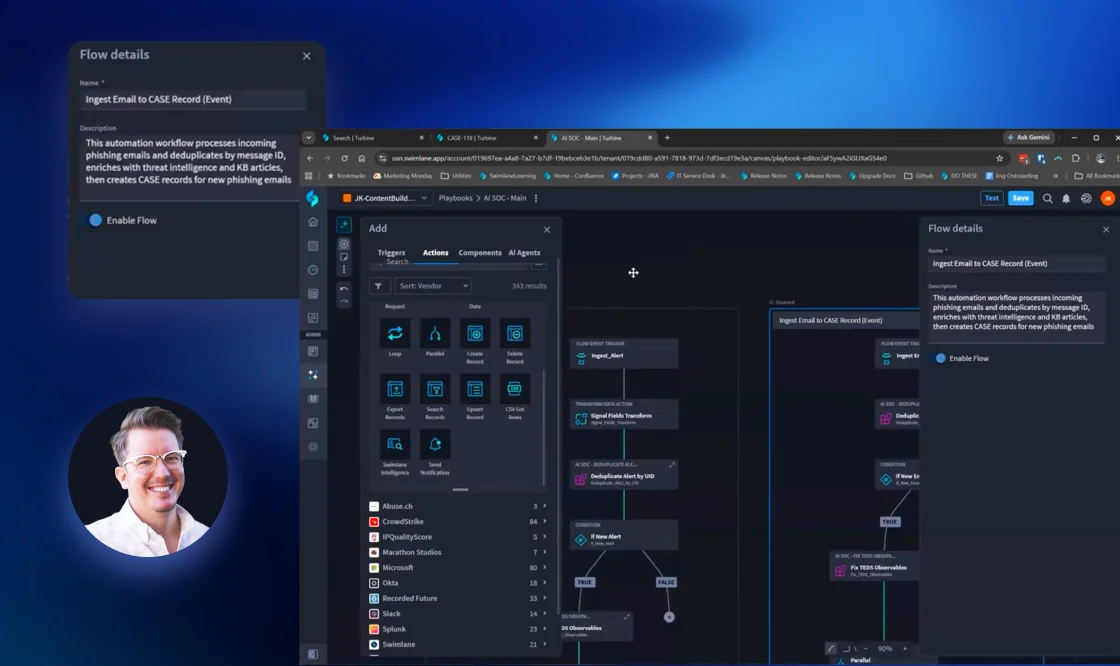
In the webinar demo, I started from Turbine’s blank canvas. In about a minute, without writing code, I had a flow that received an alert, parsed and deduplicated it, enriched it, and mapped it to a case for an analyst. Then I opened AI SOC’s pre-built version: a case that had already been enriched, scored for confidence and escalated before an analyst ever looked at it.
The third path is where those two meet, and it’s the one I’d push most teams toward. AI SOC’s workflows aren’t locked away as Swimlane IP. Want to broadcast a Slack message every time a new case lands? Add it. Have your own agent or enrichment source? Drop it in. Don’t want a flow we ship? Turn it off.
The clearest way I know to explain this came from my dad. When I was a kid, I wanted a V6 Camaro. My dad is a gearhead, and he told me something that stuck: if you want something fast, buy a fast car and then make it faster. Don’t buy a slow car and try to make it fast.
He was talking about engines, but the logic holds for a SOC. Start with something strong and proven, then tune it for your environment, instead of starting from bare metal and spending a year getting back to where a mature platform already is.
That’s what I mean by hybrid. Keep the AI you built. Run it on a governed platform underneath that’s already built, already audited and ready to customize. Your engineers spend their time on the modifications that make your SOC different, not on rebuilding the chassis.
Everything you build on Turbine stays yours. What Swimlane carries is the part that eats engineering time without differentiating your SOC: keeping connectors current as vendors change their APIs, hosting it all as SaaS, and shipping new features and AI agents that you adopt on your own schedule. SOC 2, ISO 27001 and FedRAMP High come with the platform instead of landing on your roadmap. And if you want help, our Professional Services team can advise on best practices or build a use case for you.
The piece I’m most excited about for teams that have already built their own AI tooling is two-way Model Context Protocol support in Turbine 26.5:
This is where the front door and the foundation come together. When an agent asks to isolate a host, it calls a Turbine component over MCP. Turbine checks that person’s role through role-based access control, and a consequential action can wait for a human to sign off before it runs. Credentials stay locked away instead of living in a config file, and every action leaves an audit trail. Your custom AI keeps its interface. It just stops carrying the blast radius alone.
In the webinar, I shared the headline numbers from our model: the hybrid path reaches production in days, versus 9 to 12 months to build, at roughly half the three-year cost.
I want to be transparent about what sits behind those figures, because a cost model is only as honest as its assumptions. The model assumes a mid-size SOC: 5 to 15 analysts handling roughly 1,000 to 5,000 alerts a day, with a SIEM and a ticketing system already in place.
If you’re a regulated organization or a large MSSP, expect to add engineering months to the build estimate, not subtract them.
My answer is not “never build.” It’s “build in the right layer.” Here’s how I’d sort it if I were running the SOC:
So, back to the engineer who says, “We could just build everything.” They’re still right. Building has never been easier, and nothing I’ve said here means your team should stop.
What I’d ask them to do is think past the first week. Keep the AI tools you’ve built, because they tell you exactly what your analysts want. Then run them on a governed platform that’s already mature, so your engineers spend their time on what’s unique to your SOC instead of maintaining connectors, chasing certifications and babysitting a queue at 3:00 a.m.
Buy the fast car. Then make it faster.
Want to see both paths side by side? Watch the on-demand webinar, Build vs. Buy: A Side-by-Side Look at DIY vs. Platform AI SOC, or request a demo of Swimlane Turbine and bring your own logic.

See how Swimlane Turbine seamlessly automates threat detection and response tailored specifically to your security operations. Book a personalized, interactive demo today.

 English English
 Français
 Deutsch
 日本語
 한국어
 Português
 Español