
Five Incident Response Metrics you Should be Recording
Read More


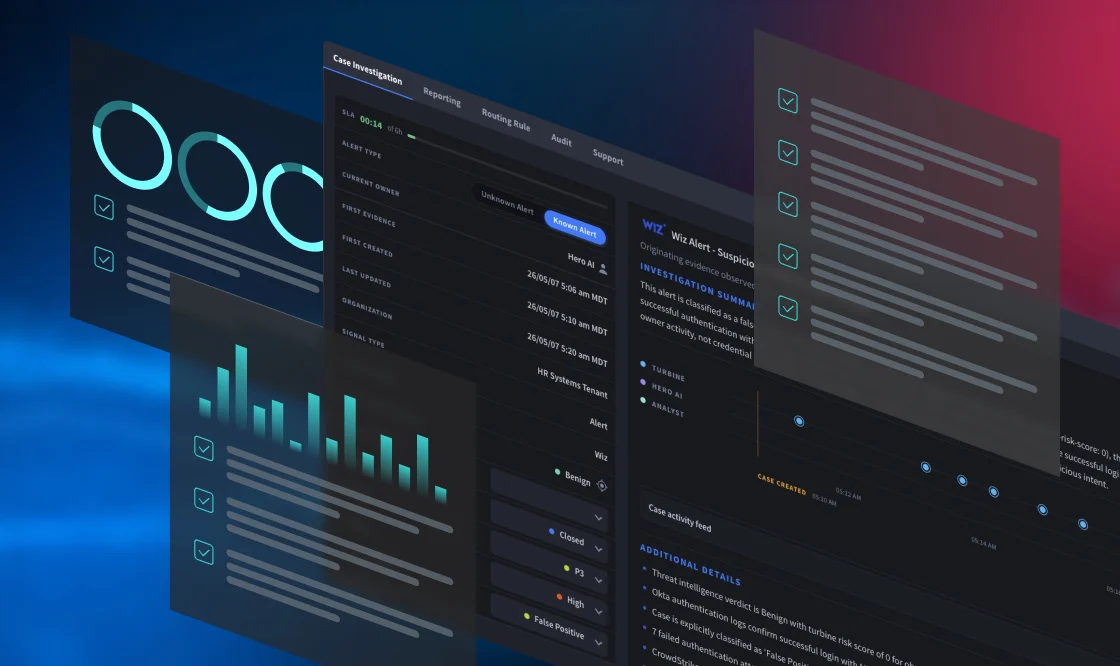
Choosing security case management software should begin with one question: how well does the platform support the way your SOC investigates?
Feature lists often look similar across vendors. The real differences appear when analysts gather evidence, assess what matters, secure approval, coordinate response, and document the outcome. Security teams should evaluate how work progresses through the operation rather than counting isolated capabilities.
Modern security case management should support investigation, decision-making, response, and continuous improvement in one process. A practical selection procedure should follow the response lifecycle and test how easily the platform adapts when procedures, tools, teams, or business requirements change.
The right solution should help analysts move from an incoming alert to a clear, defensible outcome while keeping evidence, decisions, and response activity connected throughout the triage.
Cases often start with alerts from SIEM, EDR, identity, cloud, email security, vulnerability, or DLP tools. From there, the platform helps analysts investigate the activity and determine the appropriate next step.
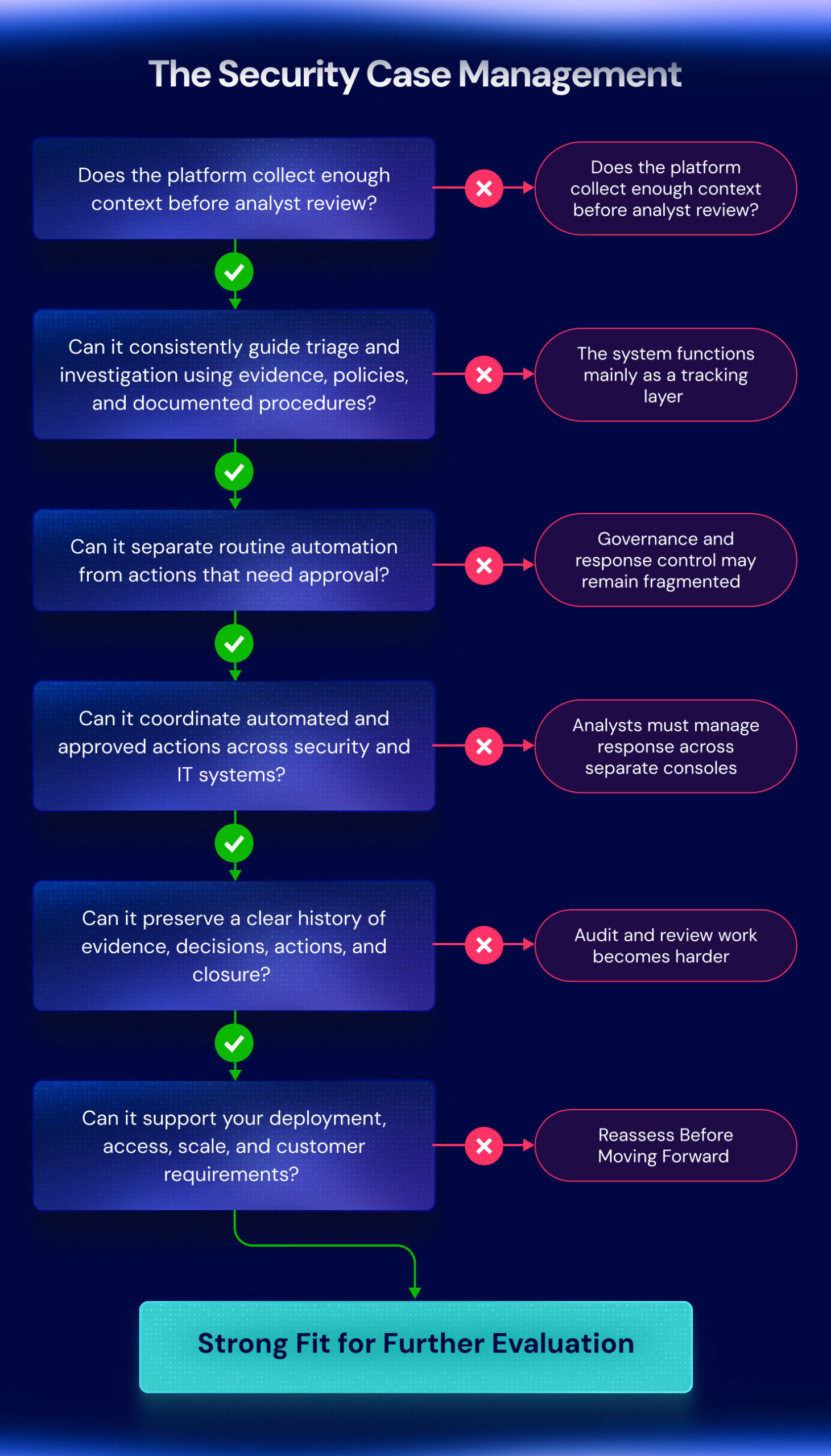
An effective case management system should help teams answer five operational questions:
Together, these questions create a practical framework for evaluating the complete case journey.
Teams rarely replace their current approach because of one missing capability. They usually begin evaluating new software when the current approach creates too much friction.
Common warning signs include:
These problems point to an operating model that depends too heavily on manual coordination.
A capable solution should provide a repeatable foundation for routine work while allowing analysts to change direction when evidence, severity, or business impact requires it.
The first stage of the evaluation should focus on preparation. Before an analyst can determine what happened, the software must collect the right information and present it in a usable form.
For a suspicious login, that may include the user’s identity and privilege level, recent login and session activity, device details, location changes, account updates, and asset importance.
A platform that imports only the original alert still leaves most of the groundwork to the analyst.
During the evaluation, examine whether the solution can:
At this stage, the platform should give the analyst enough context to begin a focused review.
Swimlane Turbine supports this stage by bringing connected security and IT data into the working record before review begins.
Pro Tip: Use a complex alert to check whether the platform surfaces the missing context before the analyst has to search for it.
Once the available evidence provides enough context, the next question is whether the system helps the analyst decide what to do.
Traditional case management often stops at assignment and status tracking. A more active platform should provide a clear path through the analysis. For a suspected account compromise, the analyst may need to:
The software should organize these steps without forcing every event through the same sequence.
Agentic AI can analyze data from connected systems, identify meaningful relationships, and recommend a course of action in line with SOC procedures.
Within that model, an AI agent can:
In a phishing case, the agent could assess sender details, domain reputation, message content, mailbox activity, endpoint behavior, and related reports. It could then organize the findings into a focused sequence for the analyst.
Swimlane Turbine applies agentic AI via AI agents within playbooks to run autonomous investigations for analysts to review and optionally approve remediation steps.
Once the analyst decides how to proceed, the platform must route the next step appropriately. Routine tasks may run automatically, while changes that could affect users, systems, or business operations should require authorization.
Actions such as suspending an account, revoking credentials, isolating an endpoint, removing malicious email, disabling cloud access, or starting broader containment may need review before execution.
During the evaluation, confirm whether the software can:
Low-code playbooks can embed these checkpoints directly into the analyst workflow, allowing routine execution to continue while higher-impact steps await human approval.
Pro Tip: Check how the platform handles approvals when the usual reviewer is unavailable.
After approval, the platform should coordinate the required steps across connected security and IT systems.
That may include updating identity controls, isolating an endpoint, blocking an indicator, removing malicious email, creating an ITSM task, notifying stakeholders, and confirming completion. Each result should feed back into the activity log, giving analysts one place to review what happened across connected systems.
Integration depth matters more than connector count. During the evaluation, confirm whether critical connections can:
Enterprises and MSSPs often rely on specialized or customer-specific systems. The solution should accommodate those environments without limiting response to a fixed set of prebuilt integrations.
Closure should show how the team reached its decision, not simply mark the work complete.
The final record should capture:
A clear case history helps auditors, managers, legal teams, customers, and incident reviewers understand what happened without rebuilding the timeline from separate sources.
AI agents can draft summaries, flag unresolved items, and prepare handoff notes, while the analyst retains final review before closure.
Pro Tip: Review a closed case to confirm someone outside the SOC can understand the decision without asking the analyst for more context.
Some requirements determine whether security case management software can support enterprise operations without creating new limits around governance, deployment, access, or scale. Teams should confirm these conditions before moving into a detailed comparison.
The solution should distinguish AI recommendations, human approvals, and completed actions.
Teams need a traceable history of who initiated each step, who authorized it, which procedure was applied, what the platform did, and what evidence supported the decision. That visibility should extend across AI agents, low-code playbooks, and analyst activity.
The solution must fit the organization’s infrastructure and data requirements, whether that involves cloud, on-premises, hybrid, restricted, regional, or customer-specific environments.
Deployment options should align with the organization’s security, purchasing, risk, and data location requirements from the start.
Enterprises may need to separate business units, regions, teams, or sensitive work. MSSPs require firm boundaries between customer environments.
Confirm support for role-based access, administrative delegation, visibility controls, retention settings, and reporting boundaries. The access model should protect sensitive information while supporting coordination across the people and systems involved.
The platform should support rising alert volumes, additional teams, new playbooks, expanding use cases, longer retention periods, and growing MSSP customer environments.
Assess whether it can handle greater operational demands without adding unnecessary administrative complexity or requiring teams to redesign established procedures.
Use realistic scenarios to test how each option performs, adapts, and fits the organization’s operating model.
| Evaluation Step | What to Test | What to Measure |
| Run real scenarios | Suspicious login, phishing or account compromise, and a high-impact DLP alert | Manual effort, tool switching, evidence quality, approvals, response, and reporting |
| Change the process | Modify an approval rule, integration, escalation path, or evidence requirement | Speed of change, testing, rollback, and development effort |
| Apply a weighted scorecard | Score each option against business and operational priorities | Governance, deployment, access controls, scale, customer separation, and reporting |
| Check implementation readiness | Confirm ownership, first use cases, integrations, and success measures | Clear responsibilities, phased rollout, and measurable goals |
This approach helps teams compare how each platform will perform in practice, not only how it appears in a demonstration.
For enterprise SOCs and MSSPs, Swimlane Turbine brings agentic AI automation, low-code playbooks, AI agents, case management, dashboards and reporting, and broad integrations into one system of action. That gives teams a consistent way to investigate, coordinate approved actions, and measure operational performance across different use cases, customers, environments, and policies.
The right security case management software should help analysts move the work forward, not simply record what happened. Evaluating platforms throughout the full investigation lifecycle gives teams a clearer view of which option will best support them over time.
Request a demo to see how Swimlane Turbine helps teams turn security case management into a connected, scalable part of daily SOC operations.
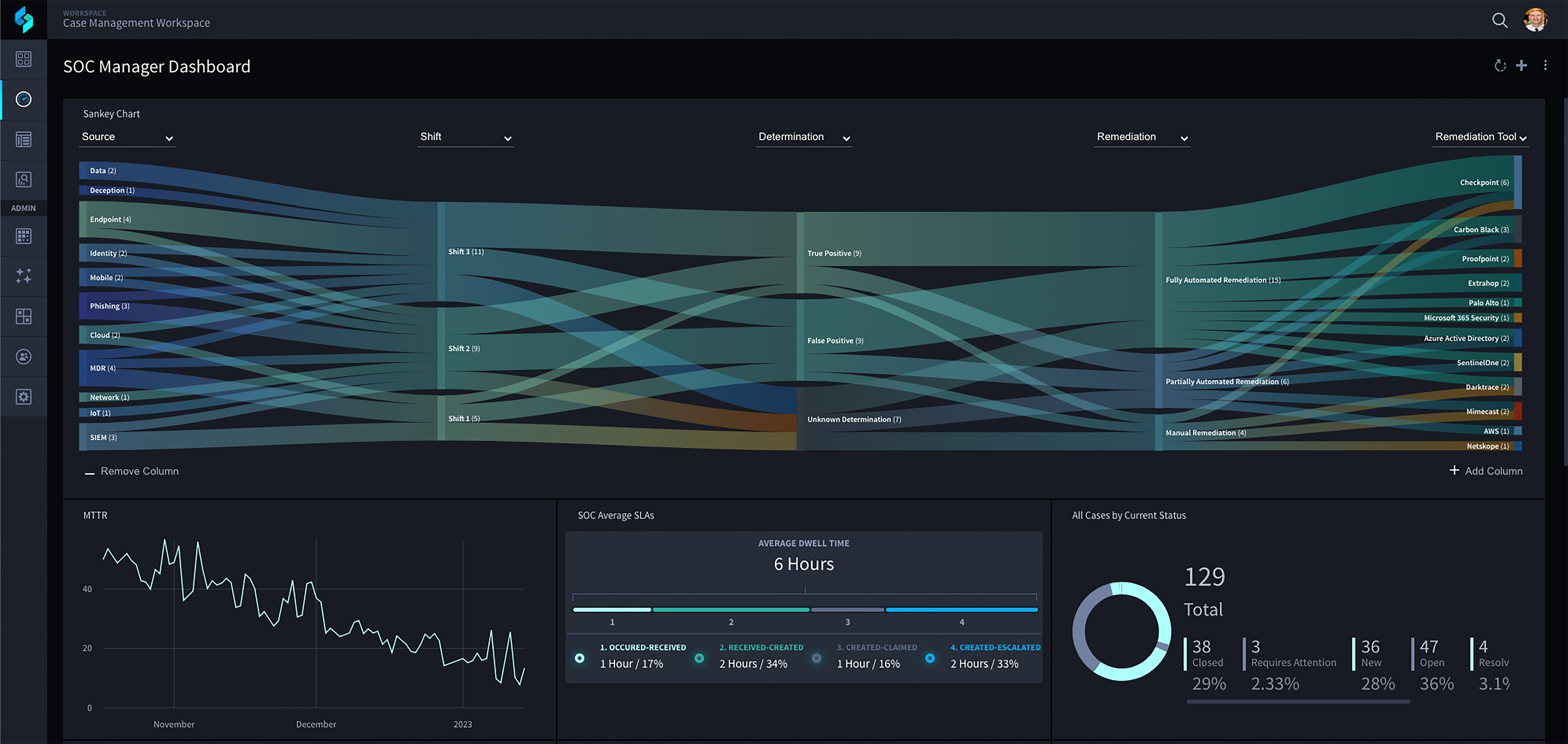
Swimlane Turbine brings agentic AI, low-code playbooks, case management, and business intelligence into a single platform purpose-built for enterprise SOCs and MSSPs. See how it handles the full investigation lifecycle, from alert intake through remediation.
Security case management software helps SOC teams manage investigations, assign work, gather evidence, coordinate response, and document decisions. It provides a structured record from alert intake through closure.
Important capabilities include investigation records, low-code playbooks, agentic AI, integration depth, approval controls, dashboards, reporting, access management, and deployment flexibility. Organizations should evaluate those capabilities through real investigative scenarios.
Agentic AI can examine information from multiple systems, identify relationships, generate an investigation plan, recommend next steps, and guide analysts through approved procedures. Human reviewers should retain control over disruptive actions.
Organizations should score vendors against the complete investigation lifecycle. The comparison should cover preparation, guidance, governance, orchestration, documentation, scalability, deployment, and maintainability.

 English English
  Français
 Deutsch
 日本語
日本語
 한국어
한국어
 Português
 Español